


MyRXNT
4.6216.00 Reviews
App Specs
- Version
- 2.6.1
- Updated On
- License
- Free
- Downloads
- 50,000+
- Developer
- RXNT
- Categories
- Medical
- Platform
- Android
Screenshots
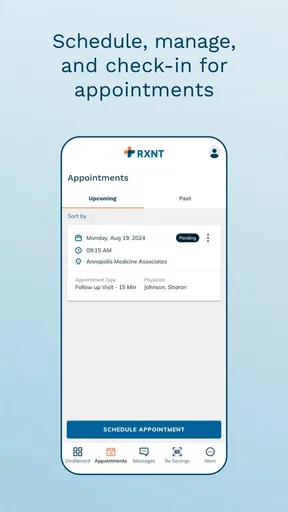

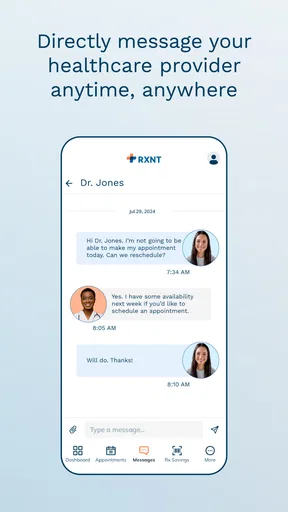
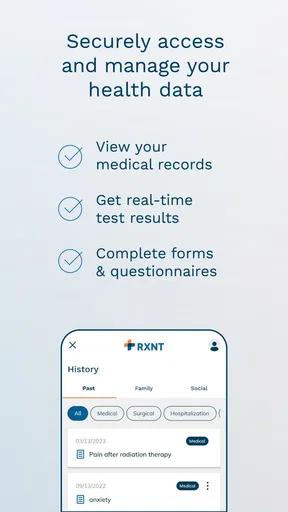
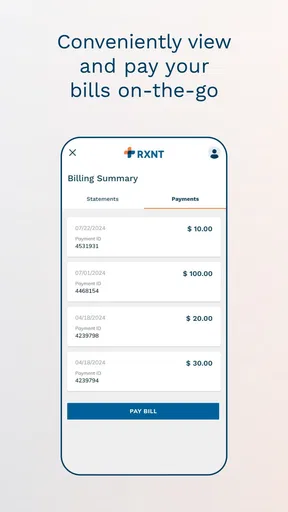

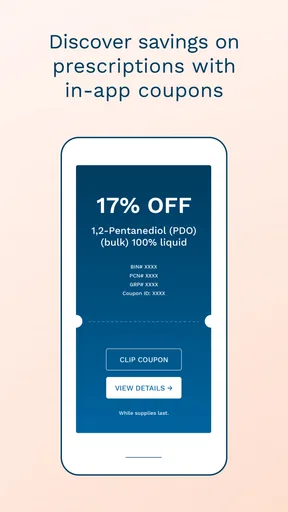
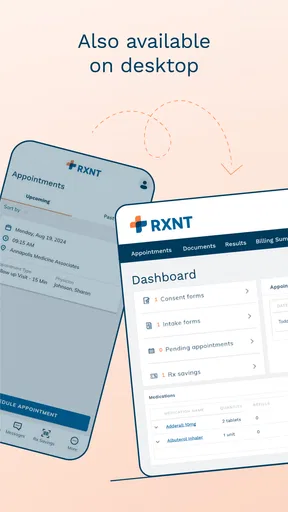
 Analysis by AppCompare
MyRXNT is the kind of medical app I would judge less by flashy extras and more by whether it makes ordinary healthcare tasks easier. After spending time with it, my impression is clear: it is most useful as a digital connection point for people whose care is already handled through RXNT, rather than as a general health tracker or an all-purpose medical reference. That distinction matters because it tells you what to expect before you install it.
The app is free, carries an Everyone age rating, and is developed by RXNT. Its store summary, “Stay Connected to Your Care,” describes the central idea well without telling the whole story: MyRXNT is intended to keep healthcare-related communication and access closer at hand on a phone. I found that focus more valuable than a crowded collection of wellness tools would have been.
What MyRXNT feels like in everyday use
MyRXNT sits in the medical category, but I would not put it in the same mental box as a symptom checker, medication reminder, fitness dashboard, or emergency service. Those tools try to interpret health information or help you monitor yourself. This app is better understood as a patient-facing companion connected to the RXNT healthcare environment.
That makes the experience naturally dependent on your relationship with a participating provider or practice. If your clinic uses the RXNT system, the app can be a practical place to handle parts of your care without relying on paper notes, repeated phone calls, or a desktop browser. If your provider does not use that system, the app is unlikely to become useful simply because it is installed.
My first piece of advice is to think about the workflow before downloading it. Ask whether the practice that manages your appointments, prescriptions, or patient communication works with RXNT. This is a more important question than whether your phone meets the technical requirement. A compatible phone can run the app, but the value comes from the connection behind it.
The current version is 2.6.1, and the app works on Android 8.0 or later. That gives it a reasonably broad reach for people who do not replace their phones frequently. I also appreciate that the basic download price is free, which removes one obvious barrier for patients who simply want access to their care information through a mobile device.
A useful companion rather than a replacement for care
The strongest way to use MyRXNT is as a convenience layer around an existing provider relationship. Instead of treating it as a medical authority, I would use it to stay organized between visits and to reduce small bits of friction. That could mean checking the app when I need to deal with a routine care task, rather than searching through email, calling the office, or trying to remember which website a practice uses.
Worth Reading Before You Choose

EA SPORTS FC Mobile 26 Is a Bigger Football Game, but It Takes Time

Flipboard Shows What News Apps Must Do Beyond the Feed

Switching to Android Auto Means Rethinking Your Driving Routine

Google Calendar Makes a Crowded Week Easier to Manage

Ludo King Makes the Most of the Minutes Between Plans

Baby Panda World Brings Quick Play to Modern Phones, but Its Game Library Feels Busy
This distinction also prevents a common mistake. A patient portal can make access easier, but it does not replace a clinician’s judgment. MyRXNT should not be the tool I reach for when symptoms are severe, rapidly changing, or potentially urgent. It is a practical access point, not an emergency response service or a substitute for professional advice.
In a realistic weekday scenario, I might receive a reminder from a practice that I need to take care of something before an appointment. With a portal-style app available, I can open the mobile interface while commuting or sitting at home, review the relevant information, and complete the next step without waiting until I am back at a computer. The benefit is not dramatic, but it is exactly the sort of small improvement that can make healthcare administration less tiring.
Where the app earns its place
MyRXNT’s main strength is concentration. Rather than scattering healthcare tasks across a practice website, messages, printed paperwork, and phone calls, it gives users one app associated with their RXNT-connected care. For someone managing regular appointments or ongoing communication with a practice, that single point of access can be easier to remember.
I also see value for people who help coordinate care for a family member. Older relatives, busy parents, and anyone balancing several appointments often struggle less with the medical decisions themselves than with keeping track of the administrative details. A dedicated patient app can make those details easier to revisit when the timing is right.
Another less obvious advantage is continuity. A phone-based portal is available during the small gaps when people actually manage healthcare: after work, before an appointment, while organizing a calendar, or when a question comes to mind outside office hours. It does not guarantee an immediate response from a practice, but it can make it easier for the patient to take their own part of the process seriously and promptly.
I would also recommend using the app as part of a personal routine rather than opening it only when something goes wrong. For example, after scheduling or discussing care, I would check that I understand the next action and then return to the app when preparing for the visit. This turns it into an organizational tool instead of another forgotten icon.
The important limitation: usefulness depends on the provider connection
The biggest weakness is not necessarily a broken feature; it is the app’s dependency on the healthcare organization behind it. MyRXNT cannot create a meaningful patient experience on its own. Its usefulness depends on whether your provider has enabled the relevant connection and whether that practice actually uses the system consistently.
That means two people can install the same app and have very different experiences. One may find it central to routine care, while another may discover that most of their healthcare still happens through a different portal, telephone line, or office process. I would not blame the app for every difference, but I would treat this dependency as the first thing to verify.
There is also a learning curve that comes with any medical portal. Healthcare language can be more formal than the language used in everyday apps, and a patient may not immediately know which screen contains the action they need. People who are uncomfortable with digital accounts may still prefer speaking with a receptionist, especially when the request is complicated or involves several family members.
For that reason, I would not recommend MyRXNT as the only way to manage care. Keep important appointment details and urgent contact information available through other means. If a task appears unclear, contacting the practice directly is often better than repeatedly tapping through the app and guessing what a status means.
A second limitation is scope. MyRXNT is not the right choice if what you want is a broad personal health dashboard that combines exercise, sleep, nutrition, wearable readings, and independent symptom notes. It is also not the best replacement for a medication-management app if your main need is timed reminders and adherence tracking. Those alternatives are designed around different jobs.
How it compares with the usual alternatives
Compared with a normal clinic website, a mobile app can feel more convenient because it is already on the phone and built around repeated access. A website may still be preferable when you need to read a long document, manage several pieces of information at once, or use a larger screen. I see MyRXNT and the browser as complementary rather than competitors: the app is better for quick, recurring access, while the website may be more comfortable for detailed review.
Compared with calling the practice, the app can reduce the need for a conversation when the task is routine and the digital workflow supports it. That is useful for people who work during office hours or dislike waiting on hold. On the other hand, a phone call remains the better option when the situation is urgent, confusing, sensitive, or too unusual for a standard portal action.
Compared with a general health app, MyRXNT has a narrower purpose and potentially a more direct relationship to the provider’s workflow. A fitness app may tell me how active I have been, but it cannot replace a patient connection. A symptom checker may offer general educational guidance, but it does not serve the same administrative role. The trade-off is simple: MyRXNT can be more relevant to provider communication, while general health apps may offer more self-monitoring tools.
Compared with paper records, the mobile approach is easier to carry and revisit, but it also depends on login access, a working phone, and the practice’s digital setup. Paper can be surprisingly dependable for a quick reference, especially for an older person or during a technical problem. I would use MyRXNT to reduce paperwork, not assume that every paper note is suddenly unnecessary.
Small habits that make the app more useful
The first habit I would recommend is checking your provider relationship before investing time in setup. This avoids the disappointment of expecting a complete portal experience from an app that only becomes useful when the practice connection is active.
The second is to open the app before a scheduled visit, not just afterward. Doing so gives you time to notice whether you need to complete a task, gather a question, or contact the office about something that cannot wait. This is a more effective workflow than trying to solve every detail in the waiting room.
Third, use MyRXNT as a record of actions and follow-ups, but do not treat every displayed item as a diagnosis or final interpretation. Medical information often needs context. If a result, message, or instruction seems unclear, the productive next step is to ask the healthcare professional rather than infer a conclusion from a short line on a phone screen.
Fourth, decide which tasks belong in the app and which belong elsewhere. Routine portal communication may fit naturally here. Urgent symptoms belong with emergency services or a clinician. Long-term lifestyle tracking may be better in a specialized health app. This simple division keeps expectations realistic and prevents the app from being judged unfairly for jobs it was not designed to perform.
Who should choose MyRXNT?
I think MyRXNT is a good fit for patients whose doctors or practices use RXNT and who want a more convenient mobile route to their care-related tasks. It is especially appealing to people who regularly manage appointments, need to stay in contact with a practice, or want to reduce dependence on printed paperwork and phone calls.
It may also suit a family member who helps another person stay organized, provided the practice’s account and access arrangements support that kind of involvement. In that situation, the app’s value comes from making information easier to reach, not from turning a relative into a medical decision-maker.
I would be more cautious if you rarely use digital healthcare tools, if your providers rely on unrelated patient systems, or if your main goal is personal wellness tracking. You may find a browser portal, direct phone support, or a specialized health app more appropriate. People who need a full-featured desktop experience may also prefer the provider’s website for longer sessions.
The app has an average rating of 4.6 from around 774 ratings, with over 50 thousand installs. Those figures suggest that it has found a meaningful audience, but they should not replace the compatibility question. A well-rated patient portal is still only useful when it connects to the care you actually receive.
My final view
MyRXNT succeeds because it keeps its purpose focused. I would recommend it to an RXNT-connected patient who wants a straightforward way to stay closer to routine healthcare administration from a phone. The free price and broad Android compatibility make trying it easy, while the medical focus gives it a clearer role than a generic wellness app.
My reservation is equally clear: the app’s value follows the provider connection, not the download alone. Before expecting it to organize your whole healthcare life, confirm that your practice uses RXNT and decide which tasks you genuinely want to handle digitally. That small check can separate a useful everyday companion from an app that simply occupies storage.
For the right patient, I see MyRXNT as a sensible bridge between the clinic and the phone. It will not replace urgent care, a clinician’s explanation, or every alternative portal. What it can do is make the ordinary parts of staying connected less scattered. If that is the problem you are trying to solve, MyRXNT is worth considering; if you want broad health tracking or independent medical guidance, I would choose a different kind of app.
RXNT has built something practical rather than universal. In my experience, that is its defining trade-off and also its strongest point: it is most effective when used for the specific care relationship it was made to support.
Pros
- Secure access to prescriptions
- appointments
- and health records in one place.
- Prescription refill requests can reduce the need for phone calls to the office.
- Medication details are easier to review while traveling or visiting a provider.
- Useful notifications can help users stay aware of upcoming healthcare tasks.
- Available on mobile devices for convenient access outside the clinic.
Cons
- Features may vary depending on whether your healthcare provider supports RXNT.
- Some actions may require office approval before they are completed.
- The app is less useful if your provider does not keep records updated.
- Medical information may take time to appear after a recent appointment.
- Users need reliable internet access for most account and record functions.
FAQs for MyRXNT
What is MyRXNT used for?
MyRXNT is a healthcare app designed to give patients convenient access to certain services connected with their participating RXNT healthcare provider. Depending on the provider’s setup, you may be able to view appointments, communicate with the office, review health information, request prescription refills, and manage other aspects of your care. Available features can vary by practice and account type.
How do I create an account or sign in to MyRXNT?
To use MyRXNT, you generally need an account associated with a healthcare provider that uses RXNT services. Your practice may send an invitation, provide registration instructions, or ask you to verify personal information before access is granted. Sign-in typically requires your registered credentials, and you should use the official app or website rather than sharing login details with anyone.
Can I use MyRXNT to schedule appointments and request prescription refills?
MyRXNT may allow appointment-related actions and prescription refill requests, but these options depend on the healthcare organization connected to your account. Some practices enable online scheduling, while others only display existing appointments or require you to contact the office directly. Refill requests are also subject to provider approval, medication rules, and pharmacy availability, so the app does not guarantee immediate fulfillment.
Is MyRXNT safe for viewing my medical information?
MyRXNT is intended to provide secure access to healthcare information through an authorized patient account, but users should still follow good security practices. Install the app from an official store, keep your device and application updated, use a strong unique password, and avoid accessing your account on shared devices. Never send sensitive medical details through unofficial channels or disclose your login credentials.
What should I do if MyRXNT is not working or my information is missing?
If MyRXNT does not load, displays an error, or fails to show expected information, first check your internet connection, update the app, and restart your device. Confirm that you are using the correct account and that your provider supports the feature you are trying to access. For account, medical-record, appointment, or prescription problems, contact your healthcare provider or RXNT support rather than relying on the app for urgent care.


